✨ vexels alternative for print on demand
The Best Vexels Alternative for POD Sellers
Vexels offers polished licensed vector assets; MerchBanao offers a prompt-to-shirt workflow with generation, editing, background removal, preview, and PNG export. Compare library convenience and vector control with faster custom drafting.
One starter generation credit after email verification
View Tiers#Why Designers Are Leaving Vexels
Vexels provides licensed vector graphics that other subscribers may also use. MerchBanao starts from a prompt instead of a shared asset library, but generated outputs still need similarity, originality, and rights review.
#MerchBanao vs Vexels: What's Different
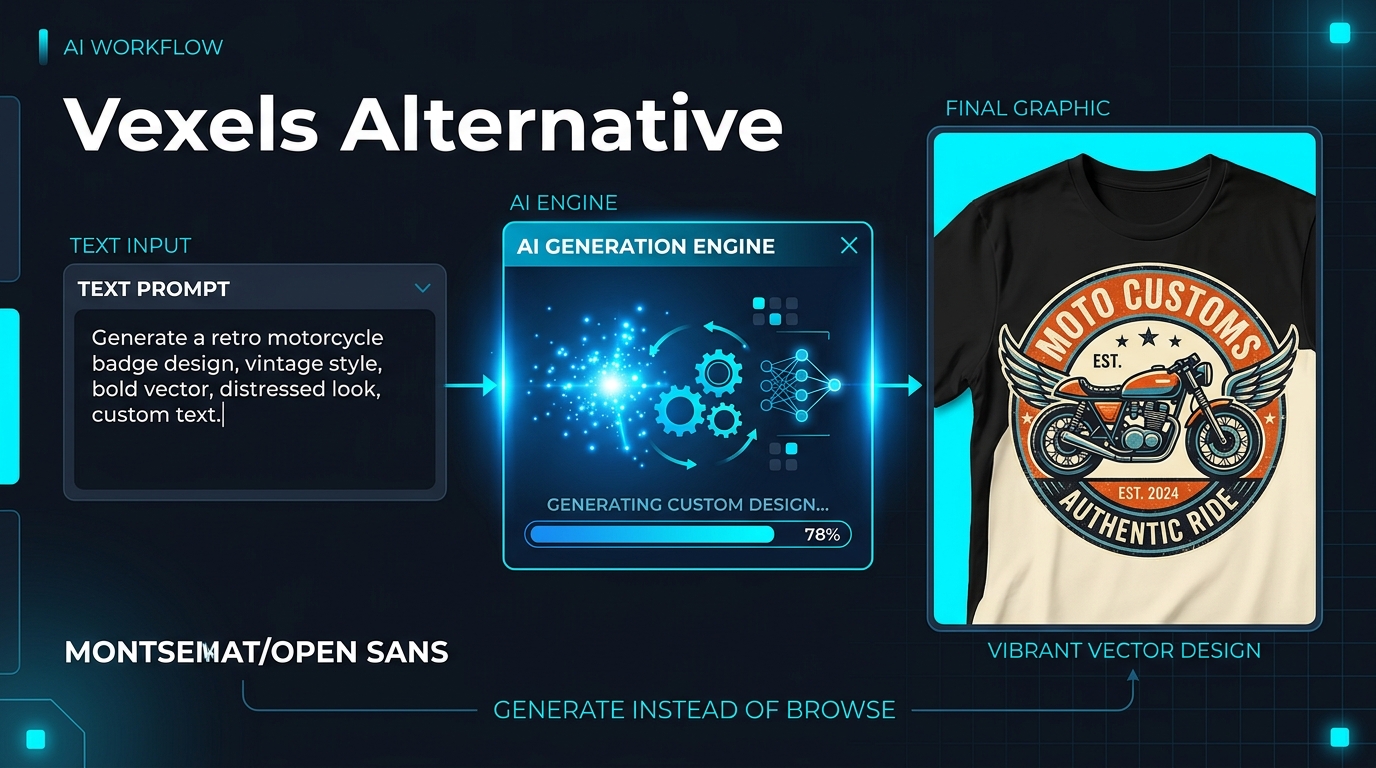
The fundamental difference is generation versus licensing. Vexels supplies editable library assets; MerchBanao creates an artwork draft from your prompt and adds the downstream shirt workflow. Neither route guarantees exclusivity.
- Vexels: shared library — same designs available to all subscribers
- MerchBanao: AI generation — a new draft from your prompt, subject to review
- Vexels: $29–129/month subscription for access tiers
- MerchBanao: free tier included, credits-based scaling
- Vexels: vector SVGs (good for scalability, requires editing skills)
- MerchBanao: fixed 4200 × 4800 transparent PNG export
#When Vexels Makes Sense (And When It Doesn't)
Vexels is useful if you need high-volume, professionally polished clip-art style graphics on a tight budget. But for differentiation — especially on saturated platforms like Amazon Merch where uniqueness drives sales — AI generation wins.
- Vexels strength: pre-polished, professional vector art
- Vexels weakness: no exclusivity — competitors buy the same licence
- MerchBanao strength: prompt-based variation instead of a shared template library
- MerchBanao strength: background removal built in — no manual editing
- MerchBanao strength: generate 50 variations of a niche in one session
#Switching from Vexels to AI Generation
If you're currently using Vexels and want to move to AI generation, the transition is straightforward. The core workflow change is: instead of searching a library, you write a prompt.
- Describe your niche design in plain English: 'vintage golden retriever badge with stars'
- AI generates a new artwork draft from your prompt
- Background removal is available in the same editor
- Export a 4200 × 4800 PNG and check the target product template
- Iterate: tweak the prompt to get exactly the style you want
How It Works
A browser workflow for an artwork draft
01
Prompt it
Describe your vision in text.
02
Refine it
Tweak colors, layout and text.
03
Export and check
Download a 4200 × 4800 PNG, then check the product template.
Frequently Asked Questions
Everything you need to know about vexels alternative for print on demand
Related Tools & Guides
Everything you need to design, launch & sell
Ready to turn this guide into
a print-ready design?
One starter generation credit after email verification