AI Merch Designer for Editable Apparel Art
MerchBanao is an AI merch designer, generator, and editor in one browser workflow. Create artwork from a prompt, arrange image and text layers, preview it on a shirt, and export a 4200 × 4800 transparent PNG. You still control the buyer brief, rights review, provider template, and physical sample.
#What an AI merch designer actually does
An AI merch designer turns a written brief into artwork and gives you tools to prepare that artwork for a product. Searchers also call this an AI merch generator, AI merch maker, or AI merchandise design tool. Those labels describe the same basic job; the useful difference is what happens after the first image appears.
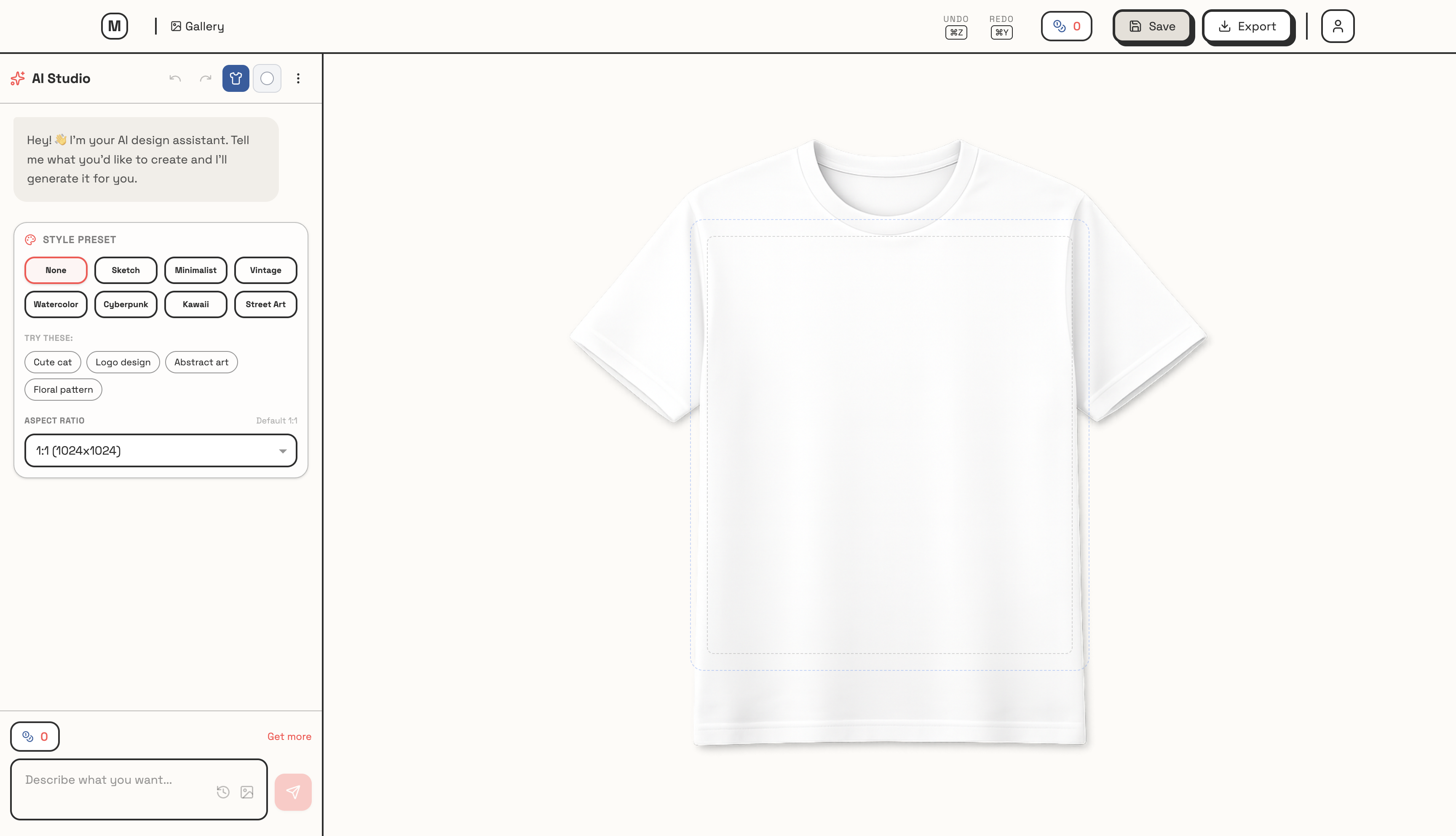
MerchBanao keeps generation and editing in one browser session. You can generate from a prompt, upload an image, arrange image and text layers, preview the composition on a shirt, and export a 4200 × 4800 pixel PNG. The export is a working apparel master, not a guarantee that one file fits every printer or product.
| Stage | What MerchBanao provides | What you still decide |
|---|---|---|
| Brief | Text prompt or uploaded reference | Audience, message, rights, and product |
| Generate | AI image generation and prompt refinement | Which result is original and usable |
| Compose | Canvas, layers, positioning, and 50 Google Fonts | Hierarchy, spelling, and contrast |
| Prepare | Background-removal and high-resolution workflow | Exact provider template and edge quality |
| Preview | Light and dark shirt mockups | Real garment, placement, colour, and print method |
| Export | 4200 × 4800 transparent PNG | Whether the selected product accepts that file |
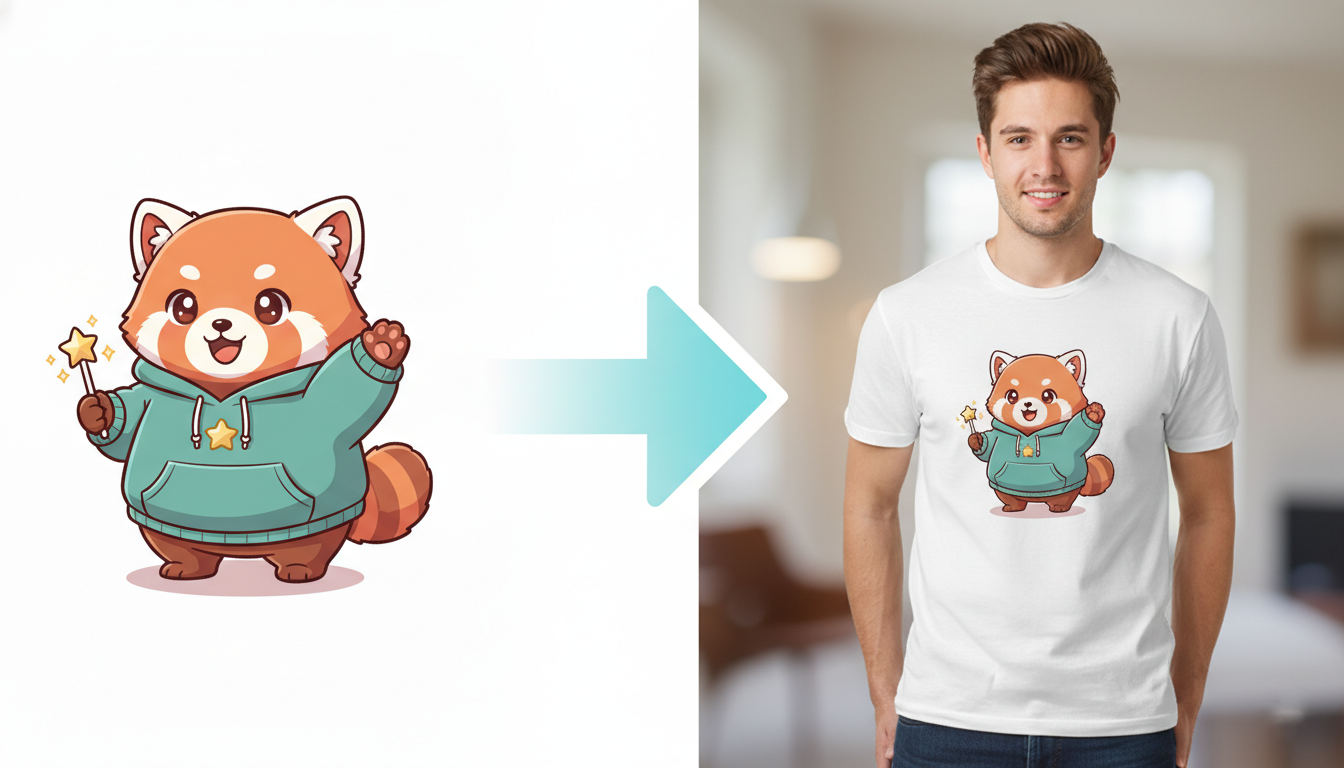
#AI merch generator, editor, and mockup workflow
A useful merch workflow needs more than a text-to-image box. Generated lettering can be wrong, backgrounds can look transparent while remaining opaque, and a square composition may sit badly in a tall chest print area. The editor exists for that awkward middle stage.
- Write a product-aware brief. Name the buyer, subject, visual treatment, palette, composition, and whether lettering belongs in the image.
- Generate a small set of distinct directions. Do not spend credits making twenty near-identical images before checking the first result.
- Inspect the actual file. Check spelling, anatomy, repeated details, apparent transparency, and similarity to protected characters or familiar artwork.
- Compose on the canvas. Add reliable text as an editable layer, adjust scale and placement, and keep enough empty space around the design.
- Preview light and dark garments. A mockup can reveal weak contrast and poor placement, though it cannot predict the physical print.
- Export and compare with the provider template. Resize or recompose when the product uses a different aspect ratio, safe area, or resolution requirement.
A workable prompt is specific without pretending the prompt can solve production: “Original linocut-style heron for a birdwatcher's shirt, centred vertical composition, cream, rust, and dark teal, strong silhouette, no logo, no garment mockup, no words.” Add the final words as editable type after the illustration is stable.
#What print-ready merch artwork means
“Print-ready” is conditional. A file is ready only when it meets the current specification for the exact provider, product, print area, size, and decoration method. A transparent PNG may suit an isolated direct-to-garment graphic but not an all-over-print template or an embroidery file.
MerchBanao exports 4200 × 4800 pixels, equivalent to 14 × 16 inches at 300 pixels per inch. That is a useful common apparel canvas. It does not create a universal standard. Printify says dimensions vary by product and print area, while Printful evaluates resolution at the actual print size.
Changing a small image's DPI metadata does not add detail. Inspect the exported pixels at 100% zoom, remove stray edge pixels, check small lettering, and order a sample. The print-ready artwork guide explains the file checks by print method.
- 4200 × 4800 pixel PNG export
- Transparent canvas when the artwork needs isolated edges
- Light and dark shirt previews for contrast checks
- Provider template and physical sample still required
#AI merch designer vs general design tools
Pick software by the control the job needs. MerchBanao is strongest when the starting point is a prompt and the delivery file is raster apparel artwork. It is not a vector drawing application, a fulfilment service, or a marketplace.
| Tool type | Use it for | Do not expect |
|---|---|---|
| MerchBanao | Prompt-led raster artwork, editing, mockups, PNG export | Path-level vector drawing or fulfilment |
| General image generator | Exploring visual directions and image styles | Product templates or a complete merch workflow |
| Canva or Kittl | Template layouts and editable typography | Exclusive ownership of shared library assets |
| Illustrator or Inkscape | Logos, vectors, separations, and scalable source art | Fast prompt-led illustration without setup |
| Printful or Printify editor | Exact product placement and provider mockups | A provider-independent design system |
The t-shirt design software comparison covers seven current tools by vector, template, fulfilment, and AI workflow.
#Editing controls inside the merch studio
The current editor supports image and text layers, movement, scaling, rotation, ordering, uploads, colour controls, and 50 Google Fonts. Keeping lettering editable is usually safer than asking an image model to reproduce a final slogan perfectly.
Use the mockup as a composition check. It can show whether the art is too small, too close to the collar, or weak against a garment colour. It cannot show ink feel, fabric show-through, wash durability, or provider-specific colour changes. For a dedicated preview workflow, use the t-shirt mockup generator.
- Upload PNG, JPG, or SVG reference artwork
- Arrange multiple image and text layers
- Choose from 50 editor fonts
- Preview a composition on light or dark shirts
- Download a transparent high-resolution PNG
#Commercial use, originality, and AI limits
MerchBanao's current terms say users retain ownership of designs they create. The same terms make users responsible for third-party intellectual-property rights and warn that AI-generated content may have limited copyright protection depending on the jurisdiction. That is more precise than promising that every generated image is automatically unique, protected, or safe to sell.
The U.S. Copyright Office's 2025 AI report says purely AI-generated material is not protected by copyright in the United States. Human-authored selection, arrangement, and creative modification may qualify case by case.
Save prompts and source files, correct the artwork yourself, search potentially protected names and phrases, and review the marketplace's current AI disclosure rules. The AI art for print-on-demand guide links to current Etsy, Amazon, Redbubble, TeePublic, trademark, and copyright sources.
#Who should use this AI merchandise design tool
MerchBanao fits creators, small brands, and print-on-demand sellers who need to explore distinct raster graphic directions and prepare them for apparel. It is less suitable for a screen-print shop that needs production separations, a logo designer who works entirely in vectors, or a seller who expects software to research demand and clear rights automatically.
Start with one product and one audience. Generate a few genuinely different directions, finish one carefully, compare the export with the printer's template, and sample it. That is a better test of an AI merch designer than counting how many images it can produce in an afternoon.
- Creators developing artwork for a small merch drop
- POD sellers testing a clearly defined buyer concept
- Clothing brands exploring raster graphics and typography
- Teams that want generation, editing, and preview in one browser tab
How It Works
A browser workflow for an artwork draft
Prompt it
Describe your vision in text.
Refine it
Tweak colors, layout and text.
Export and check
Download a 4200 × 4800 PNG, then check the product template.
Frequently Asked Questions
Everything you need to know about AI merch designer
Related Tools & Guides
Everything you need to design, launch & sell
Print-Ready AI Designs
Pixel math and product-specific file checks
AI Merch for Creators
Launch your first merch drop with AI
POD AI Design Tool
An artwork workflow for POD product templates
Merch AI Alternative
The creator alternative to B2B Merch.ai
T-Shirt Design Software
Compare vector, template, POD, and AI workflows
Ready to turn this guide into
a print-ready design?
One free generation credit after account verification