How to Design a T-Shirt with AI -- 5 Steps from Prompt to Print-Ready
MerchBanao combines AI generation, background removal, editable layers, shirt previews, and a 4200 × 4800 PNG export in one browser workflow. This guide covers the creative steps and the product-template, rights, and quality checks that still remain yours.
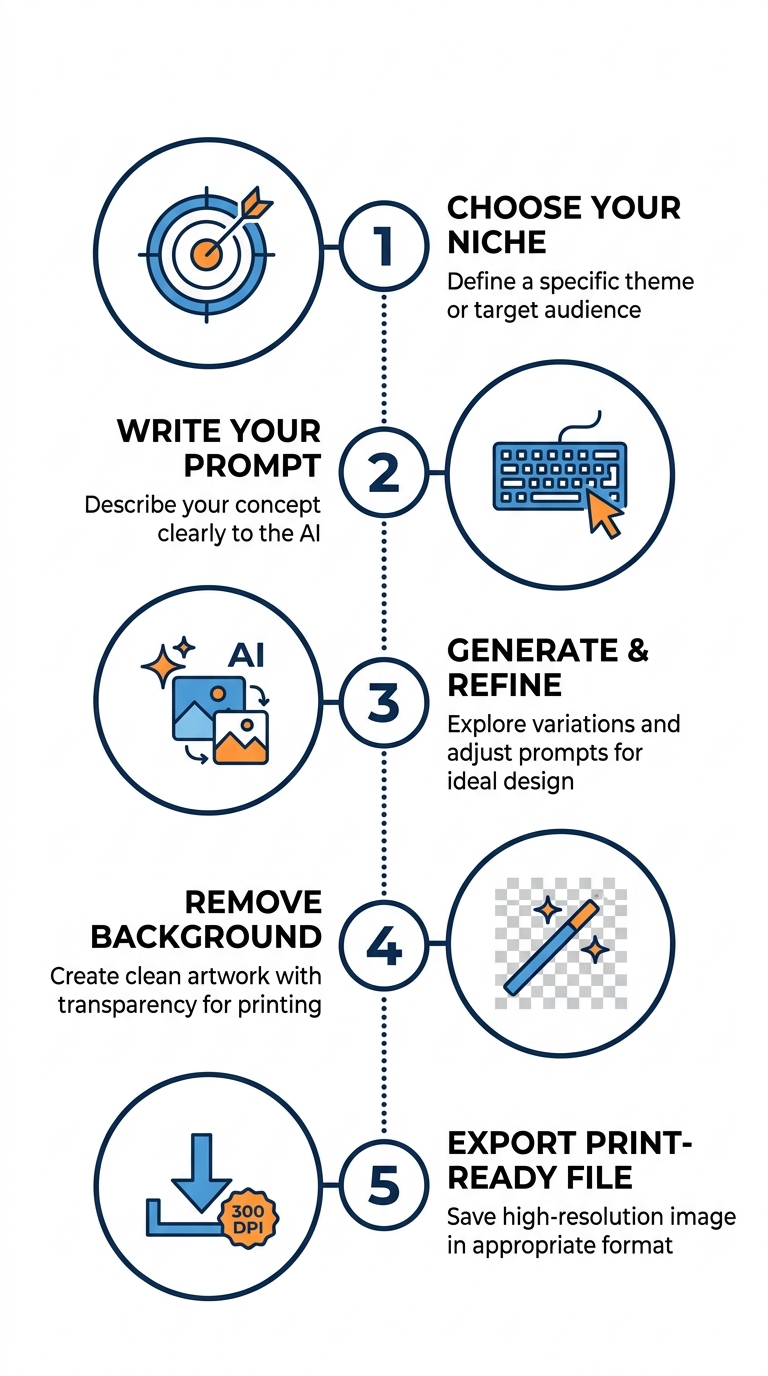
#Step 1 -- Choose Your Niche and Design Concept
Before opening any design tool, decide who you are designing for. A focused niche (e.g., "golden retriever owners who love beach life") produces a dramatically more targeted design than a vague concept. The more specific your target buyer, the more likely they are to purchase.
Research your niche quickly: search the keyword on Redbubble and Merch by Amazon to see what already exists and where there are gaps. Aim for high-demand, low-competition designs. Define 2-3 design concepts before you start generating.
- Identify a passionate community (pet owners, hobbyists, tradespeople, gamers)
- Browse Redbubble + Merch by Amazon to see existing designs and identify gaps
- Note the styles that get the most reviews -- that is your quality benchmark
- Define 2-3 design concepts before opening MerchBanao
#Step 2 -- Write an Effective AI Design Prompt
Your AI prompt is the single biggest lever for design quality. The formula: Subject + Style + Color Palette + Composition.
Example: "A golden retriever with ocean waves and a surfboard, retro 70s illustration style, warm amber and teal palette, circular badge shape -- white background, clean edges for t-shirt printing."
This 4-element structure reliably guides AI to generate exactly what you need for printing. Add "clean edges, transparent-ready background" to every prompt for best print results.
- Subject: the main graphic (animal, object, character, typography)
- Style: the visual aesthetic (retro vintage, minimalist line art, bold streetwear, watercolor)
- Color palette: dominant colors -- 2-4 max for clean print results
- Composition: arrangement style (badge/crest, centered chest, text above image)
- Always add: 'clean edges, transparent background suitable for t-shirt printing'
#Step 3 -- Generate and Refine
Run your prompt in MerchBanao and generate 3-5 variations. AI generation is non-deterministic -- the same prompt produces different results each time, which is an advantage: you see multiple creative interpretations and select the strongest.
Look for: clean well-defined edges; no muddy or blurred details; a clear focal point; colors that reproduce well on fabric; no unintended artifacts. Use "flat design" or "vector illustration" keywords for the crispest print results.
- Generate 3-5 runs of the same prompt to see the full variation range
- Refine the prompt if none work: add/remove style modifiers
- Avoid photorealistic prompts -- illustration styles print far better on fabric
- Check that any text in the design is legible at small sizes
- Use 'flat design' or 'vector illustration' keywords for crisp output
#Step 4 -- Remove Background and Edit
Many apparel products accept or benefit from a transparent-background PNG, while other print methods and products use different files. MerchBanao includes one-click AI background removal, but complex edges such as fur, fine lettering, shadows, and semi-transparent effects still need inspection.
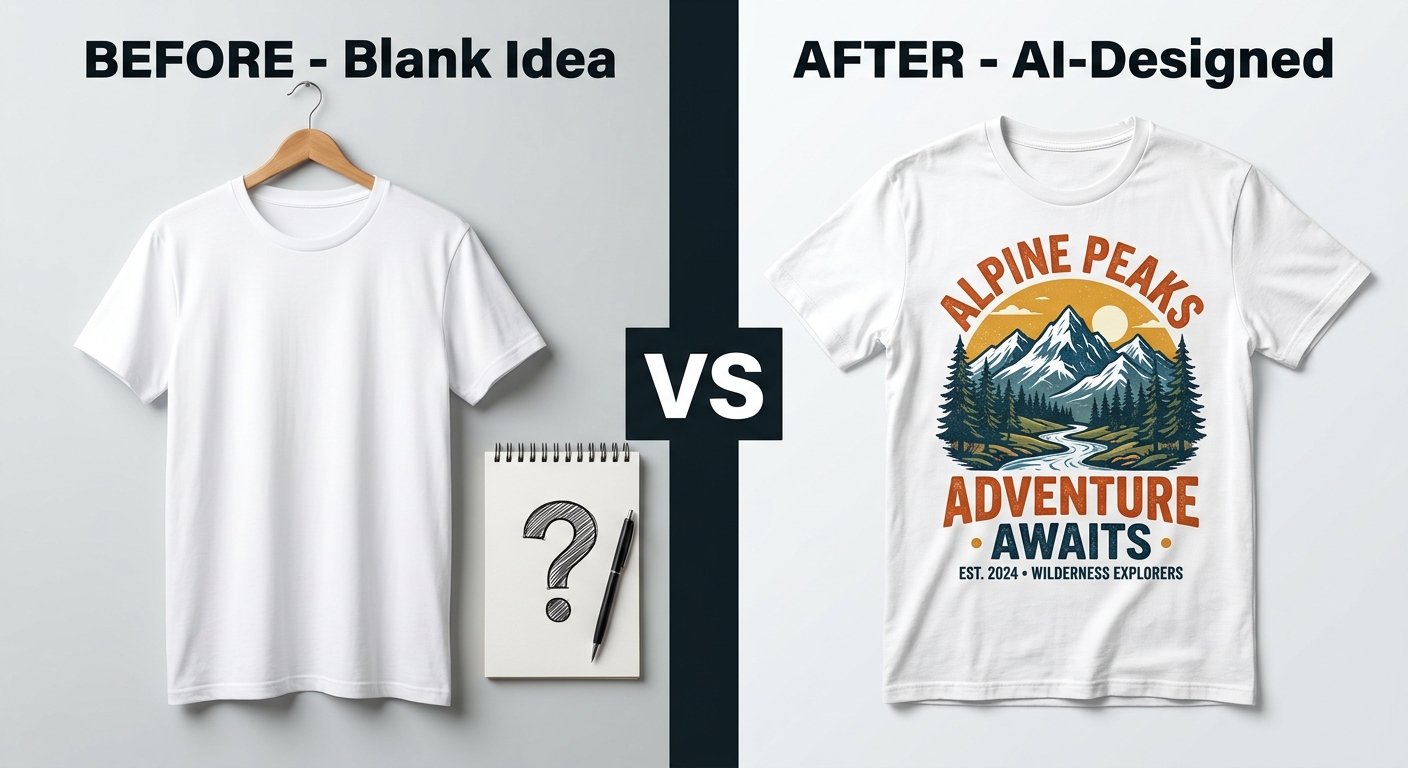
After removal, use the canvas editor to position the graphic, add text layers, or adjust scale. Preview on a t-shirt mockup before exporting to catch any issues.
- Click 'Remove Background' -- MerchBanao handles it automatically with AI
- Use the canvas editor to reposition the graphic on the shirt canvas
- Add text layers using the built-in text tool if your design needs typography
- Check edges at 100% zoom -- fix any rough spots with the eraser
- Preview on a t-shirt mockup before exporting
#Step 5 -- Export Print-Ready Files
The final step is checking the current template for the exact product and print area. MerchBanao exports a fixed 4200 × 4800 transparent PNG, equivalent to 14 × 16 inches at 300 pixels per inch. It is a useful apparel master, not a universal provider preset.
- Amazon Merch by Amazon: 4500x5400px, PNG, transparent background, under 25MB
- Redbubble: PNG, no background, at least 2400px on the shortest side
- Printify: PNG, 300 DPI, at least 2000px
- Printful: PNG, 150+ DPI minimum, 2000-8000px recommended
- Place the 4200 × 4800 export into the provider's current template without stretching it
#AI Design vs Traditional Design: Real Time and Cost Comparison
The numbers below reflect typical 2026 costs for a single t-shirt design intended for POD sale. Your actual costs will vary based on the designer you hire or the software you already own, but the gap is large enough to illustrate why AI has become the default for indie POD sellers.
- Freelance designer (Fiverr, Upwork): $25–150 per design, 2–7 day turnaround
- Adobe Illustrator + your own time: $0–55/month software cost, 3–8 hours per design for a beginner
- Photoshop + manual painting: $0–23/month, 4–12 hours per design
- AI generation (MerchBanao): one starter generation credit after email verification; later generations use paid credits
- AI can shorten the draft stage, but review, rights checks, product setup, and sampling still take time
- Compare costs using the current credit price and the number of iterations your design actually needs
#7 Common AI T-Shirt Design Mistakes (and How to Avoid Each)
These are the most common reasons AI-generated t-shirt designs get rejected by POD platforms or generate negative reviews. None are fatal — they just require a second pass with a better prompt or a quick edit in the canvas editor.
- Mistake 1: Photorealistic prompts. Photoreal prints look muddy on fabric. Use illustration, flat, vector, or line art keywords instead.
- Mistake 2: White background instead of transparent. Most POD platforms require transparent PNGs. Always use the background removal step before export.
- Mistake 3: Critical content too close to the edge. POD products crop differently across sizes. Keep important elements 1 inch (300 px) inside the safe zone.
- Mistake 4: Too many colors. Garment printing has practical color limits. Limit palettes to 2–4 dominant colors for the crispest result on fabric.
- Mistake 5: Tiny text in the design. Text under 24 pt becomes unreadable on a small chest print. Use a canvas editor to enlarge any text to a t-shirt-legible size.
- Mistake 6: Copying trademarked characters. AI image generators can produce logos, branded characters, and trademarked imagery. Avoid prompting for anything resembling a real brand — it's a takedown risk on every platform.
- Mistake 7: Skipping the mockup preview step. Always preview on a real shirt mockup before export. The same design can look strong on white but vanish on dark or heathered garments.
How It Works
A browser workflow for an artwork draft
Prompt it
Describe your vision in text.
Refine it
Tweak colors, layout and text.
Export and check
Download a 4200 × 4800 PNG, then check the product template.
Frequently Asked Questions
Everything you need to know about how to design a t-shirt with AI
Related Tools & Guides
Everything you need to design, launch & sell
Ready to turn this guide into
a print-ready design?
No Design Skills Required -- Just Type Your Idea