How to Start a Print-on-Demand Business
Print-on-demand lets you sell custom products with zero inventory, zero upfront cost, and zero fulfillment work. This guide covers everything: platform selection, niche research, design creation with AI, listing optimization, and realistic income projections.
#What is Print-on-Demand and How Does It Work?
Print-on-demand (POD) is a business model where products are only manufactured when a customer places an order. You design the artwork, list it on a marketplace or your own store, and a third-party supplier (like Printify, Printful, or Redbubble) handles printing, packaging, and shipping directly to the customer.
You never hold inventory, never upfront-invest in bulk product, and never deal with fulfillment logistics. Your profit is the difference between what the customer pays and what the POD supplier charges for production.
The POD market was valued at $8.03 billion in 2023 and is projected to reach $67.03 billion by 2033 (Grand View Research). It is one of the most accessible e-commerce business models for creators and entrepreneurs with minimal startup capital.
#Choosing a Print-on-Demand Platform
Your choice of POD platform determines your audience reach, profit margins, and operational overhead. The major options each serve different seller profiles:
| Platform | Best For | Free to Join |
|---|---|---|
| Redbubble | Passive income, no marketing needed | Yes |
| Merch by Amazon | Amazon marketplace reach, higher royalties | Yes |
| Etsy + Printify | Handmade/craft buyers, niche products | Yes |
| Shopify + Printful | Own brand, full control, higher margins | Shopify fee |
| Etsy + Printful | Premium products, quality-conscious buyers | Yes |
| Spring (Teespring) | Creators with existing social audiences | Yes |
#Step-by-Step: Launch Your First POD Product
Here is the complete launch sequence for your first print-on-demand product:
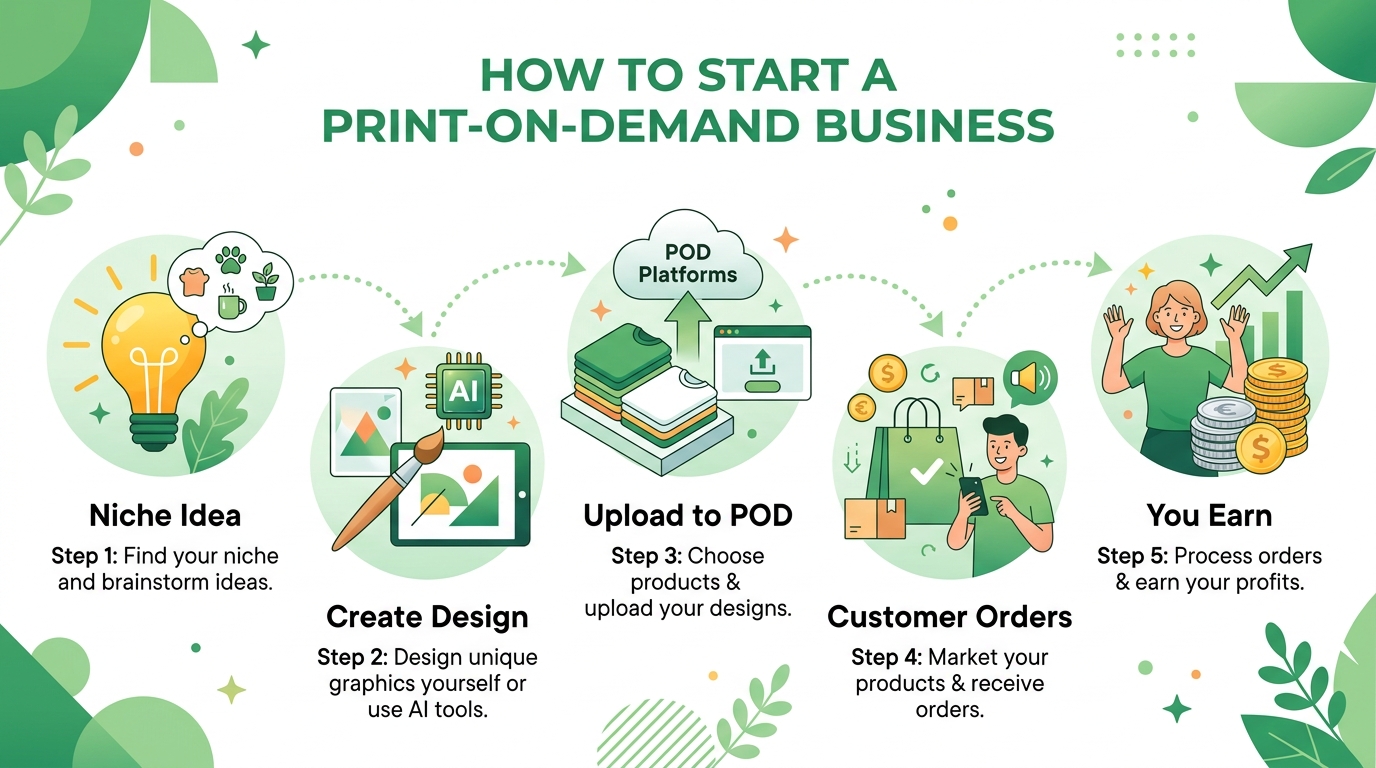
- Choose a niche — research demand using Etsy autocomplete and Amazon Best Sellers
- Create 3–5 designs — use MerchBanao to generate AI artwork for your chosen niche
- Remove backgrounds — ensure transparent PNGs for clean print output
- Create accounts — sign up for Redbubble (zero barrier) or Etsy + Printify
- Upload designs — configure product sizes, colors, and pricing
- Optimize listings — write keyword-rich titles, descriptions, and tags
- Add mockup photos — use platform mockups or Printful's mockup generator
- Publish and repeat — consistency beats one-off uploads every time
- Week 1: Set up accounts, design first 5 products, publish
- Month 1: Upload 20–30 designs across 2–3 niches
- Month 3: Analyze which designs get views/sales, double down on winners
- Month 6: Scale winning niches, test new related niches
- Year 1: Build a catalog of 200+ designs for consistent passive income
How It Works
A browser workflow for an artwork draft
Prompt it
Describe your vision in text.
Refine it
Tweak colors, layout and text.
Export and check
Download a 4200 × 4800 PNG, then check the product template.
Frequently Asked Questions
Everything you need to know about how to start a print on demand business
Related Tools & Guides
Everything you need to design, launch & sell
POD AI Design Tool
An artwork workflow for POD product templates
Print-on-Demand Design
Create artwork, check templates, and sample the product
Merch Demand Validation
5 methods to find what sells before you design
Printify Design Tool Guide
Compare Product Creator with an external AI artwork workflow
AI Design Tool for Printful
Prepare external artwork for Printful product templates
Merch Niche Ideas 2026
Audience and product directions to validate
Ready to turn this guide into
a print-ready design?
Free to start — create your first designs with AI today