40 ChatGPT Prompts for T-Shirt Design (2026 Guide)
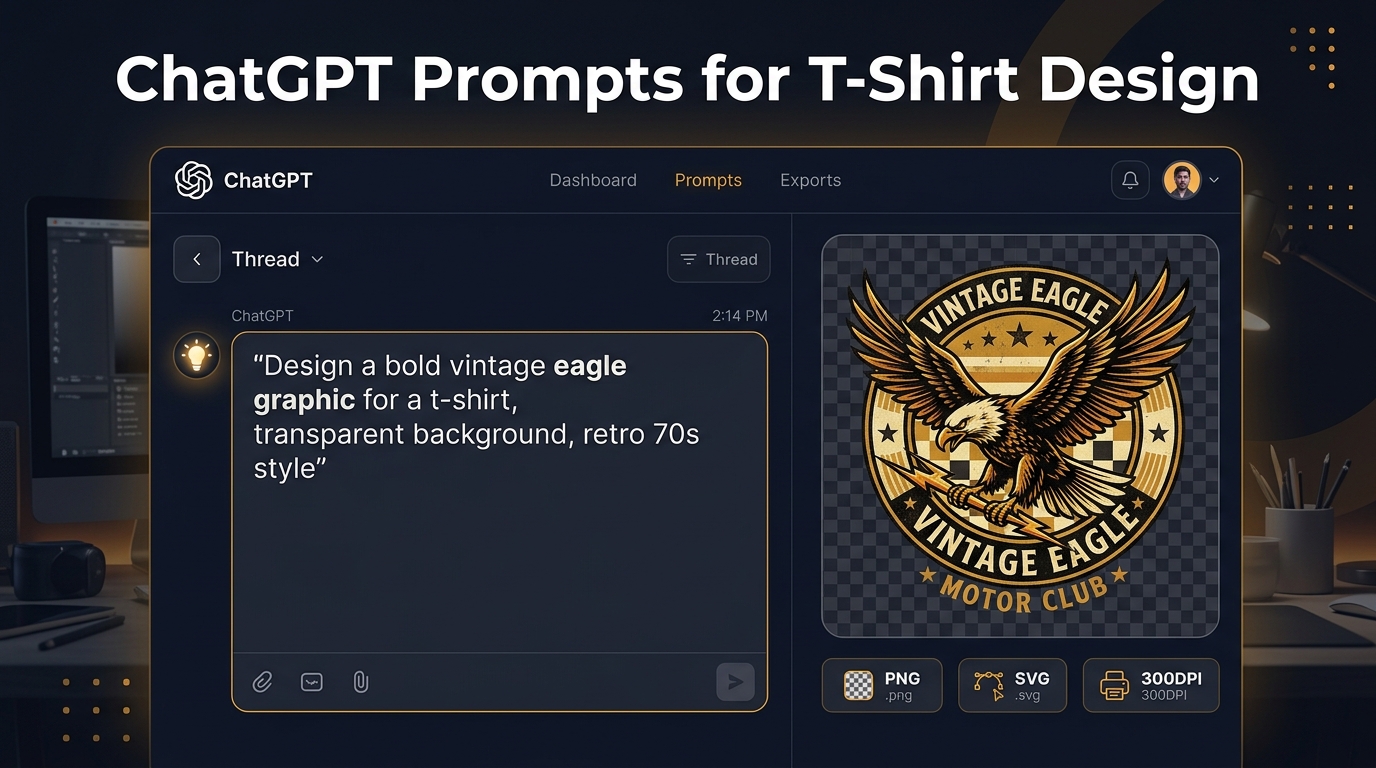
The best ChatGPT prompts for t-shirt design describe the buyer, original subject, visual medium, composition, palette, shirt colour, background treatment, and anything that must stay out. “Make a cool shirt” leaves most of the important decisions to chance.
ChatGPT can do more than the old version of this guide claimed. OpenAI's current ChatGPT Images documentation says Images 2.0 is available on all tiers, can edit an uploaded image, can add text, supports different aspect ratios, and can follow a request for a transparent background. Free users have tighter image-generation limits, according to the Free Tier FAQ.
That still does not make the first download print-ready. Text can be wrong. A transparent-looking background can be opaque. The pixel dimensions may not fit the product template. Use the 40 prompts below to create a strong starting point, then run the production checks at the end.
For a shorter end-to-end explanation, use the ChatGPT T-shirt design workflow. This page is the prompt library; that page covers the path from brief to a checked print file.
The ChatGPT t-shirt prompt formula
Use this structure:
Purpose or buyer + original subject + medium and texture + composition + palette + exact text + intended shirt colour + background + exclusions
Here is a complete example:
“Original sleepy heron badge for a birdwatcher's t-shirt, hand-cut linocut texture, centred vertical composition, cream and rust inks for a navy shirt, no words, no logo, no garment mockup, transparent background.”
Every clause does a job. The buyer and subject give the image a point. Medium, composition, and palette control how it looks. The shirt colour establishes contrast. Exclusions reduce mockups, logos, stray lettering, and busy scenery.
When wording matters, put the exact phrase in quotation marks and keep it short. Generate a version without text too. OpenAI's API documentation notes that GPT Image models can still struggle with precise text placement and clarity, so editable type remains the safer production choice.
40 ChatGPT prompts for t-shirt design
These are starting briefs, not protected product ideas. Search any phrase you plan to sell, replace generic wording with your own language, and reject output that resembles a known character, brand, logo, or artist's work.
Animals and pet-owner shirts
- “Original golden retriever portrait wearing oversized round sunglasses, chunky screen-print shapes, centred chest graphic, navy, cream and muted gold, no words, no brand marks, transparent background.”
- “Black cat curled around a crescent-shaped houseplant leaf, clean single-weight line art, compact circular composition, pale ink for a charcoal shirt, no stars, no text, transparent background.”
- “Tiny frog carefully carrying one wild strawberry, storybook ink drawing with rough paper texture, forest green and coral, isolated vertical composition, no scenery, no mockup.”
- “Corgi viewed from behind with a raincoat hood and one puddle reflection, playful flat illustration, four solid colours, strong silhouette for a light blue shirt, no rainbow, no text.”
- “Great Dane trying to sit on a comically small stool, dry deadpan cartoon, bold black outlines, two-colour print, centred, no speech bubble, transparent background.”
- “Labrador head portrait built from engraved contour lines and three small field flowers, oval badge, dark brown and cream inks, no ribbon, no words, no existing emblem.”
- “Box turtle carrying a miniature night garden on its shell, detailed pen-and-ink illustration simplified for garment printing, deep blue and warm gold, isolated, no text.”
- “Sleepy orange cat folded inside an empty coffee mug, soft cut-paper shapes, warm terracotta and cream, compact front print, no steam text, transparent background.”
Hiking, camping, and outdoor shirts
- “Original mountain ridge drawn as one continuous contour line, small rising sun, restrained black ink, wide chest composition, no park name, no slogan, transparent background.”
- “Well-used hiking boot with a young pine growing through the open top, vintage woodcut texture, forest green and tan, centred vertical graphic, no badge border, no words.”
- “Small 1970s-inspired camper beside a quiet desert moon, flat screen-print illustration, burnt orange, teal and cream, no brand badge, no photographic sky, transparent background.”
- “Original phrase ‘TRAIL DUST, QUIET MIND’ in wide hand-drawn retro letters above two simple switchbacks, dark green and sand inks for a cream shirt, no logo, no mockup.”
- “Rock-climbing rope tied into an imperfect heart around one carabiner, technical line drawing, single black ink, generous negative space, no manufacturer marks, transparent background.”
- “Solo kayak crossing three graphic river bands at dusk, strong silhouette, navy and burnt orange, horizontal chest print, no landscape photograph, no words.”
- “Compass rose assembled from four original woodland leaves, engraved badge style, navy and cream, symmetrical but hand-drawn, no coordinates, no wolf, no existing insignia.”
Dry humour and everyday-life shirts
- “Original phrase ‘COFFEE FIRST, DETAILS LATER’ in a crooked diner-sign layout beside a half-full mug, red and warm yellow inks, no real restaurant branding, transparent background.”
- “Skeleton waiting beside an apartment intercom with a tiny parcel icon, understated black-and-white cartoon, caption ‘STILL OUT FOR DELIVERY’, no company logo.”
- “Original phrase ‘CALENDAR DECLINED’ in a worn office stamp, block lettering, brick red ink, slightly uneven edges, no corporate symbols, transparent background.”
- “Sloth hanging from the minute hand of a simple clock, sleepy expression, grey and mustard palette, no text, no brand-like clock face, isolated composition.”
- “Regal house cat reviewing a very small clipboard, dry editorial-cartoon style, black and cream, caption ‘NOTED. FILED. FORGOTTEN.’, no crown jewels or logos.”
Fitness and movement shirts
- “Anatomical skeleton doing a careful kettlebell warm-up, bold comic inking, black and dark red, centred shirt graphic, no gym logo, no words, transparent background.”
- “Original phrase ‘ONE MORE CLEAN REP’ in compact athletic lettering around a simple barbell, navy and gold inks, distressed print texture, no team crest.”
- “Anatomical heart wearing small boxing wraps, engraved medical-poster line work, red and black, vertical composition, no flames, no text, transparent background.”
- “Tired medieval shield-bearer stretching after training, humorous two-colour cartoon, heavy black shapes and grey fill, no franchise armour, no slogan.”
- “Minimal barbell balanced over two sprigs of rosemary, single-colour line art, calm symmetrical composition, no laurel wreath, no text, transparent background.”
Music-making shirts
- “Old acoustic guitar with three native wildflowers growing through the sound hole, botanical engraving, warm brown and muted green, no maker name, isolated.”
- “Original skull wearing plain studio headphones while adjusting one tiny mixer knob, high-contrast rock poster art, black and cream, no music notes, no brand marks.”
- “Original phrase ‘LOUD ENOUGH TO REMEMBER’ in angular hand-drawn lettering with one abstract lightning shape, black and yellow, no band reference, transparent background.”
- “Unlabelled cassette wrapped with thorny roses, dark-romance engraving, wine red and charcoal, centred, no album title, no familiar logo, transparent background.”
- “Simple guitar pick with two asymmetrical moth wings, single black ink, fine lines thick enough for garment printing, no initials, no text.”
Coffee and food shirts
- “Tiny person asleep inside an oversized ceramic coffee cup, gentle editorial cartoon, warm brown and cream, centred, no café logo, no words, transparent background.”
- “Original phrase ‘BREW, THEN BEGIN’ in hand-painted sign lettering around three coffee beans, dark brown and muted gold, no vintage brand imitation.”
- “Cheerful pizza slice carrying a folded napkin like a briefcase, flat cartoon, tomato red and warm yellow, no chain branding, isolated, no text.”
- “Anatomical-style diagram of a moka pot with playful but plausible labels removed, black-and-white pen drawing, compact vertical print, no patent marks, no words.”
- “Avocado waiting for a small wave with a plain wooden board, restrained retro cartoon, green and orange, no sunglasses, no surf brand, transparent background.”
Original text-led shirt prompts
- “Phrase ‘MADE OF SMALL ATTEMPTS’ in heavy hand-cut block letters, imperfect registration, black and ochre inks, centred four-line layout, no collegiate crest.”
- “Phrase ‘TAKE THE SIDE ROAD’ beneath an original compass-and-footpath emblem, worn travel-poster texture, forest green and cream, no park or vehicle logo.”
- “Phrase ‘GROW AT YOUR OWN PACE’ in loose botanical lettering around one curling bean vine, terracotta and sage, no stock wreath, transparent background.”
- “Phrase ‘START AGAIN, KEEP THE LESSON’ below an original rising sun made from rough ink bands, orange and black, no phoenix, no copied quote layout.”
- “Phrase ‘A LITTLE ODD ON PURPOSE’ surrounded by five mismatched hand-drawn shapes, indie zine line art, black ink, no smiley trademark, transparent background.”
How to use a prompt in ChatGPT Images
- Open ChatGPT on web, iOS, or Android and start an image request.
- Paste a prompt, then state the intended aspect ratio and shirt colour.
- Ask for two or three meaningfully different compositions, not dozens of tiny variations.
- Reject broken anatomy, copied-looking marks, unreadable wording, and visual clutter.
- Select the strongest image and ask for a targeted edit. ChatGPT supports conversational edits and a selection tool, although OpenAI notes that selected areas are not always precise.
- Save the image and inspect the actual file rather than judging only the chat preview.
ChatGPT Images can be asked to add words, but generated lettering should never be trusted blindly. Read every character. Then shrink the composition to marketplace-thumbnail size. A phrase that is technically correct but unreadable at listing size is still a failed shirt design.
Check transparency instead of trusting the preview
OpenAI says ChatGPT Images can follow instructions to make a background transparent. That is useful, but the downloaded file decides whether it worked.
Open the image over solid black, white, and a bright colour. Look for:
- opaque white pixels where the shirt should show through;
- grey or pale halos around fur, hair, leaves, and distressed edges;
- partially transparent pixels that turn muddy over dark fabric;
- detached specks outside the main composition;
- a rectangular field that only looked transparent in the preview.
If cleanup is needed, use the background-removal workflow and inspect the result again. For exact text, remove generated lettering and add it as an editable layer.
Turn the ChatGPT image into a print file
There is no universal POD canvas. Open the current template for the exact product, provider, print area, and decoration method before resizing anything. Printify says dimensions vary by product and print area. Printful evaluates resolution at the actual placed print size.
The useful calculation is:
required pixels = physical print size in inches × requested pixels per inch
A 14 × 16 inch print area at 300 pixels per inch needs 4200 × 4800 pixels. Relabelling a 1024-pixel image as “300 DPI” does not add detail. Upscaling creates more pixels, but it can also enlarge malformed letters and invented edges.
Use this production sequence:
- Download the current product template.
- Check the ChatGPT image's real pixel dimensions and aspect ratio.
- Correct generated text, anatomy, and edge artifacts.
- Confirm or create real alpha transparency when the composition needs it.
- Place the artwork without stretching it.
- Inspect the placed file at 100% and at listing-thumbnail size.
- Preview every enabled garment colour and size.
- Order a sample before advertising or expanding the design.
The print-ready t-shirt design guide covers provider-specific templates and effective-resolution math in more detail.
Commercial use needs more than an AI-tool permission
Do not read “generated in ChatGPT” as “cleared for sale.” Check OpenAI's current terms, your marketplace's rules, and the rights attached to any uploaded source image, font, phrase, person, or visual reference.
Avoid prompts for living artists, protected characters, logos, celebrities, sports teams, bands, and recognisable brand packaging. Search meaningful phrases in the markets where you sell. Keep the prompt, source images, downloaded output, editing history, model or product name, and dated terms with the final design.
The t-shirt copyright and trademark guide provides a repeatable rights checklist. It cannot replace legal advice, but it is far safer than assuming a fresh-looking output is automatically original.
Where MerchBanao fits
ChatGPT Images is a capable image creator and editor. MerchBanao is narrower: it keeps generation, movable image and text layers, background removal, white and black shirt previews, and a 4200 × 4800 PNG export in one shirt-focused workspace.
That export is useful for a common 14 × 16 inch artwork area at 300 pixels per inch. It is not a universal Printify, Printful, Redbubble, or Amazon preset. Use the provider template and recompose when the required aspect ratio differs.
You can use any prompt above in the AI t-shirt design generator, or bring a saved ChatGPT image into your preferred editor. The tool choice matters less than the final checks: exact words, clean edges, enough pixels, current rights, an accurate mockup, and a sample you have seen.