What Is DTF Printing? Process, Pros, Cons, and DTG Comparison
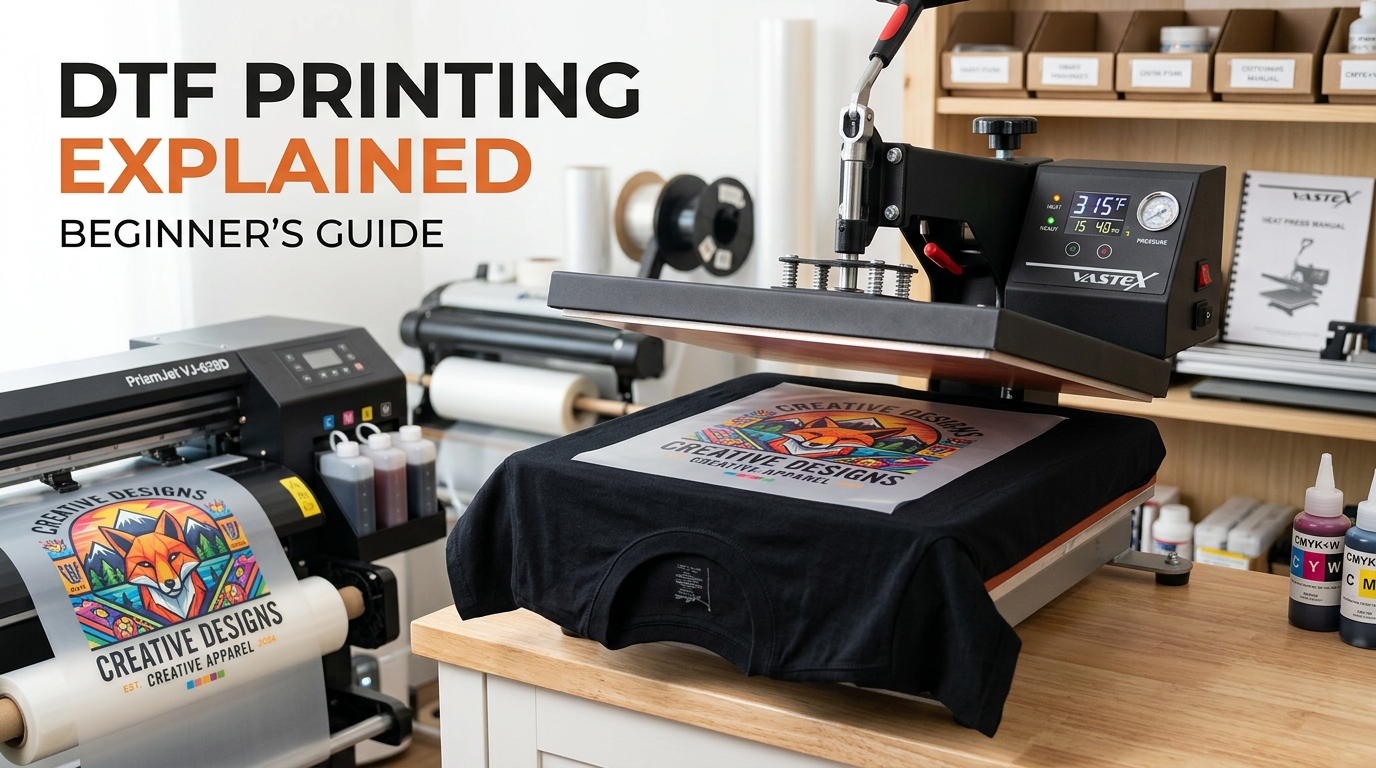
DTF printing means direct-to-film printing. A specialised printer puts the artwork onto transfer film, including a white ink layer. The wet print receives hot-melt adhesive powder, is cured, and is then bonded to the garment with a heat press.
That extra film step is the key difference from DTG, which prints directly onto fabric. DTF works across more fabric types; DTG tends to feel softer on cotton. Neither method wins every job.
How DTF printing works
Epson's DTF Film Printing Guide lays out the production sequence and the equipment involved. A commercial setup may automate parts of it, but the underlying steps are similar:
- Prepare the job. The operator sizes the artwork for the placement and sends a film-printing job to compatible RIP or garment software.
- Print on film. Colour inks and a white layer are printed in the required order on the coated side of transfer film.
- Apply adhesive powder. Powder covers the still-wet printed area. Excess powder must be removed so it does not create glue outside the design.
- Cure the film. Heat activates the adhesive. The correct conditions come from the film, powder, ink, and equipment suppliers.
- Transfer to the garment. A heat press bonds the image to the fabric.
- Peel and finish. The operator follows the film's hot-, warm-, or cold-peel instructions and may press again to finish the print.
This is why a universal instruction such as “press every DTF transfer at 160°C for 15 seconds” is unreliable. Epson explicitly notes that time, temperature, and pressure vary with the film, powder, press, ink load, and fabric. Use the transfer supplier's specification, then test it on the actual blank.
DTF vs DTG printing
DTF and DTG are both digital apparel-decoration methods, but the ink reaches the shirt differently. Printful's DTF and DTG comparison describes DTF as a film-and-heat-press process suited to several fabric types. Its DTG explainer describes water-based ink printed directly onto a pretreated garment, with natural fibres such as cotton providing the best absorption.
| Decision factor | DTF | DTG |
|---|---|---|
| Ink path | Printed on film, then heat-transferred | Printed directly onto the garment |
| Fabric fit | Cotton, polyester, fleece, and many blends | Best on cotton and other absorbent natural fibres |
| Dark garments | White layer travels with the transfer | Pretreatment and a white underbase are commonly used |
| Surface feel | A transfer layer sits on the fabric | Ink absorbs into the fibres for a softer hand |
| Workflow | Film, powder, curing, pressing, and peeling | Pretreat, print, then cure |
| Good use case | Mixed-fabric catalogue or transfers prepared ahead | One-off cotton apparel and breathable detailed prints |
The product decides more than the acronym. A lightweight cotton fashion tee and a polyester team jersey behave differently. Ask the fulfilment provider which decoration method is used for the exact colour and variant you plan to sell.
What DTF printing is good at
Printful's direct-to-film overview identifies cotton, polyester, and blends as suitable materials and notes that the process can reproduce full-colour designs, gradients, and fine detail. Those properties make DTF useful when:
- one design must appear on several different fabric compositions;
- the artwork needs an opaque white layer on a dark garment;
- a shop wants to print transfer sheets separately from garment pressing;
- a small or mixed batch does not suit the screen setup for each colour;
- the product includes a placement or material that the chosen DTG service does not support.
DTF is also practical for local shops that buy pre-printed transfers. They can test the business with a heat press before deciding whether running and maintaining a film printer makes sense.
The disadvantages of DTF printing
The transfer layer is both DTF's strength and its main compromise.
- The print has a surface feel. A large, solid rectangle can feel heavier and less breathable than DTG ink absorbed into cotton.
- Film and powder add consumables. The process creates transfer-film waste and requires careful powder handling.
- The workflow has more stages. Bad powder coverage, curing, pressure, alignment, or peeling can spoil an otherwise good print.
- White ink needs attention. Compatible printers and maintenance routines matter; ordinary home inkjet printers are not substitutes.
- The outcome depends on the system. “DTF” covers many combinations of ink, film, adhesive, equipment, and operator technique.
Epson tells operators to use a mask and protective eyewear appropriate to the powder instructions and to keep powder away from the printer. A home or studio setup also needs ventilation and safe heat equipment. This is not the place to improvise.
How to prepare a DTF print file
Start with the print provider's product template. It is the authority for dimensions, placement, safe area, supported colour profile, file format, and minimum detail.
1. Design at the final physical size
Raster quality depends on pixels at the intended print size. The relationship is:
pixels ÷ inches = pixels per inch
A 3600-pixel-wide file placed at 12 inches is 300 pixels per inch. The same file enlarged to 18 inches is 200 pixels per inch. Changing a metadata field from 72 to 300 does not add detail.
Printful recommends 300 DPI for its DTFlex products, while its DTG minimum is 150 DPI. Those are Printful-specific recommendations, not a rule for every printer. Printify's image-quality guidance likewise says to use the product's listed requirements and warns that artificially increasing resolution does not improve a low-quality image.
2. Keep transparency deliberate
A transparent PNG is common for isolated apparel graphics. If the file contains a white rectangle, the white layer may print as part of the transfer. Inspect the artwork on both a light and dark canvas and remove stray edge pixels.
Do not use partial transparency casually. Halftone dots or purpose-built knockout textures often transfer more predictably than broad areas at low opacity. Ask the printer how its RIP handles transparent pixels.
3. Protect thin lines and small gaps
There is no universal minimum line width because equipment and materials differ. Print the artwork at actual size on paper, then inspect the narrowest positive lines and negative gaps. If they are barely visible on paper, they are poor candidates for a powder-and-transfer process.
4. Preview the garment colour
The white underbase helps colour stay opaque on dark fabric, but the design still needs enough contrast with the shirt. Preview every offered garment colour. A black outline that works on cream may vanish on charcoal.
5. Order a sample
A mockup cannot show hand feel, edge quality, stretch behaviour, or wash response. Sample the exact product and colour. Photograph it before washing, follow the provider's care instructions, and compare it after several normal wash-and-dry cycles.
DTF, screen printing, or sublimation?
Do not choose a printing method from one generic ranking.
- Consider DTF for full-colour work across mixed fabrics, dark garments, or transfer-based fulfilment.
- Consider DTG for detailed one-off cotton garments where a soft, breathable feel matters.
- Consider screen printing for repeat runs where colour separation, setup, and volume economics make sense.
- Consider sublimation when the product and polyester surface are designed for dye transfer, especially all-over print.
The print partner's capability, quoted price, sample quality, turnaround, and supported product range should decide the final method. The t-shirt printing methods guide compares all six workflows by fabric, artwork, feel, and order model.
Can you do DTF printing at home?
You can, but buying a printer is not the first sensible test for most new sellers. Epson's guide lists film, powder, a suitable platen, a powder tray or shaker, protective equipment, and curing and heat-transfer devices in addition to the printer.
A lower-risk sequence is:
- order transfers made from two or three representative designs;
- use a suitable heat press and follow the transfer supplier's instructions;
- record pressing conditions and inspect consistency;
- test wear, stretch, and washing on the intended garments;
- compare the true cost with outsourced fulfilment before buying production equipment.
Include rejected transfers, maintenance, labour, ventilation, consumables, blank garments, shipping, and reprints in the calculation. The printer price is only one line.
From AI artwork to a DTF-ready file
MerchBanao can generate artwork, remove a background in the editor, adjust the composition, preview a mockup, and export a 4200 × 4800 PNG. Treat that export as a working master, not proof that it meets every printer's specification.
Open the target product template, place or resize the artwork without enlarging it beyond useful resolution, and check the final file at 100% zoom. The print-ready t-shirt design guide covers the pixel calculation, while the background remover helps isolate artwork that should not have a rectangular field.
If you are still developing the concept, start in the AI t-shirt design generator. Then let the printer's template and a physical sample, not the mockup alone, decide whether the file is ready.
What DTF printing means for a POD seller
DTF printing is a useful option, not a quality guarantee. It expands the range of fabrics and colours that can take a detailed digital design, but it also introduces a transfer layer, more production stages, and system-specific settings.
Choose it when those trade-offs fit the product. For cotton apparel where softness matters most, compare a DTG sample. For a large repeat order, quote screen printing too. The honest answer to “is DTF better?” starts with the blank, the artwork, and the fulfilment workflow.