10 Print-on-Demand Mistakes to Avoid in 2026
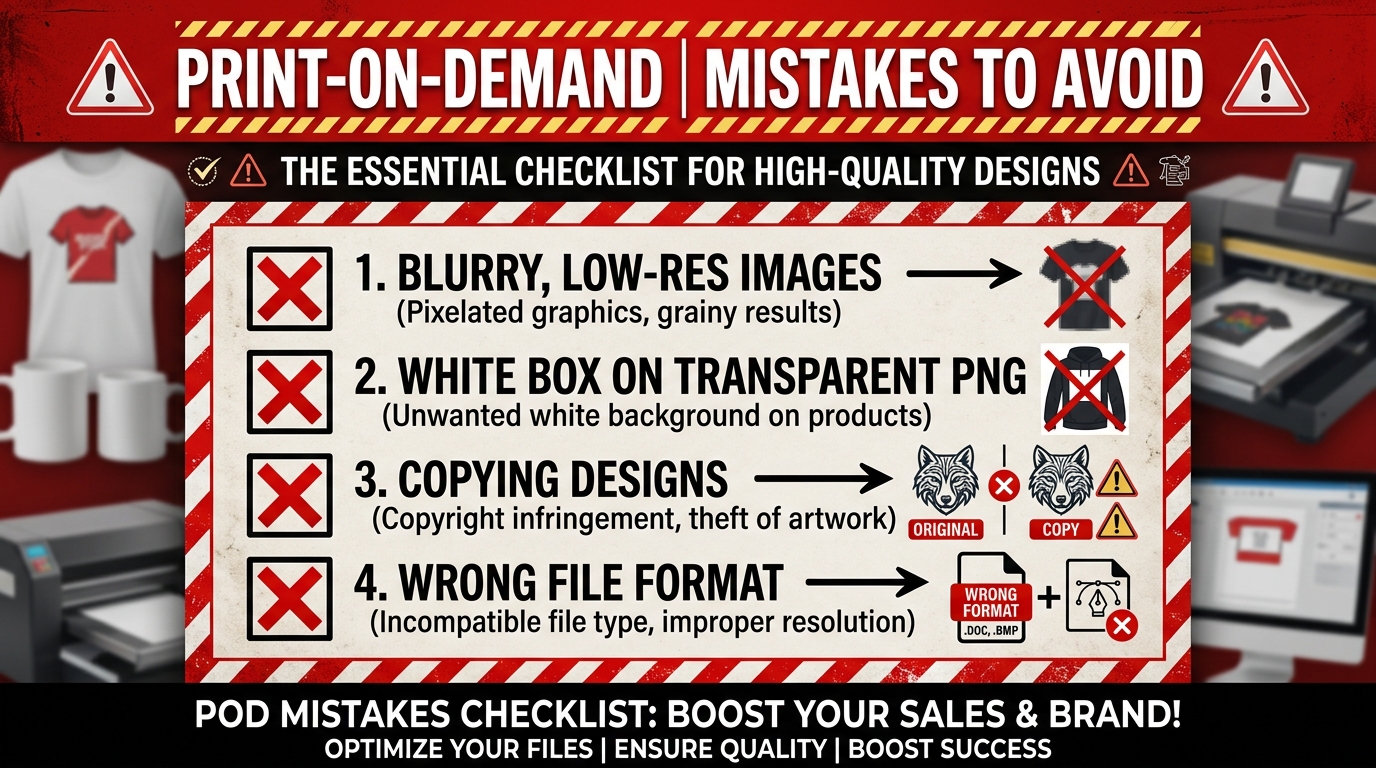
The most expensive print-on-demand mistakes happen before a product scales: choosing a vague buyer, preparing artwork for the wrong template, skipping the sample, ignoring rights, mispricing the order, or publishing a listing that does not match the product. More uploads do not repair any of those problems.
This guide is for a new POD seller and for an existing shop with impressions but weak clicks, orders, or contribution. Each mistake includes a check you can perform before spending more.
The 10 POD mistakes at a glance
| Mistake | Early warning | First fix |
|---|---|---|
| Using a generic print file | Provider warning or stretched artwork | Open the exact product template |
| Trusting the mockup | Placement or colour surprises | Order and inspect a sample |
| Mishandling transparency | White box or edge halo | Check the real alpha channel |
| Skipping rights review | Familiar phrase, logo, or character | Search and document provenance |
| Designing without a buyer | Views do not become clicks | Write a specific buyer-product brief |
| Pricing from base cost | Sales produce little cash | Calculate contribution per order |
| Publishing inaccurate listings | Questions, returns, policy risk | Match the real product and disclosures |
| Enabling unproofed variants | Design fails on colours or sizes | Preview and sample enabled variants |
| Expanding channels too early | More support, no useful learning | Prove one repeatable workflow first |
| Measuring catalogue size | Upload count rises, business does not | Diagnose the funnel and contribution |
Mistake 1: Preparing one generic file for every product
There is no universal t-shirt canvas, DPI target, colour profile, or background rule across print-on-demand.
Printify says design dimensions can vary by product, print area, and sometimes garment size. Printful explains effective resolution at the actual placed print size. A 1024-pixel file does not gain detail when its metadata is relabelled “300 DPI.”
Use this raster check:
required pixels = physical print size in inches × requested pixels per inch
Then use the provider's current template as the final authority. Vector artwork, embroidery, all-over print, DTG, DTF, posters, and mugs can require different preparation.
MerchBanao exports a fixed 4200 × 4800 PNG. That has enough pixels for 14 × 16 inches at 300 pixels per inch, but it is not a universal POD preset. Recompose or resize it when the selected product requires something else.
Mistake 2: Treating a mockup as a physical proof
A mockup checks composition. It cannot show fabric hand, ink feel, small-edge quality, real colour, print placement variation, packaging, or delivery.
Order the exact blank, colour, size, print method, and provider you plan to sell. Inspect:
- artwork size and placement;
- dark and light ink coverage;
- fine lines, distressed edges, and small lettering;
- garment fit, material, and construction;
- packaging and tracking;
- the result after washing apparel according to its care instructions.
If routing can move orders between providers, understand when that happens and whether the replacement has been sampled. A good sample does not guarantee every future unit, but no sample leaves the seller guessing.
Mistake 3: Assuming every design needs transparency
An isolated shirt graphic often needs genuine alpha transparency. A poster, sublimation pattern, or all-over-print background may intentionally fill the entire rectangle.
When transparency is required, open the downloaded file over black, white, and a bright colour. Check for:
- an opaque white rectangle;
- pale halos around hair, fur, or distressed edges;
- partially transparent pixels that look muddy on dark fabric;
- stray pixels outside the composition.
A checkerboard in an editor is only a preview. Inspect the file's real alpha channel. Use the background-removal workflow when cleanup is needed, then check it again.
Mistake 4: Treating generated output as automatic legal clearance
AI output is not automatically original, protected, or safe to sell. It can contain a familiar character, logo-like mark, signature, copied phrase, celebrity likeness, or unlicensed element.
Keep the prompt, raw output, edits, font and stock licences, model, provider, generation date, and terms snapshot. Search important wording and similar marks. The USPTO trademark search guidance explains why an exact-word search is only a starting point in the United States.
Do not ask a model to imitate a living artist or rebuild a seller's design with small changes. For a valuable brand, uncertain phrase, or international launch, get advice for the markets where the product will be sold.
The t-shirt copyright and trademark guide provides a fuller pre-publish record.
Mistake 5: Generating products before defining the buyer
“Cats,” “fitness,” and “funny shirts” are categories, not product briefs. A useful brief names the buyer, occasion, product, and reason to choose the item.
Before creating artwork:
- Write one buyer and use case.
- Search the phrase that buyer would use.
- Review credible listings, prices, recent reviews, and delivery promises.
- Note what buyers praise or complain about.
- State one meaningful difference your product will offer.
Autocomplete and trend tools are clues, not proof of sales. Record the hypothesis in the merch demand-validation workflow and decide what result would support or reject it.
Mistake 6: Pricing from the blank instead of the order
Retail price minus production cost is not POD profit.
A complete contribution calculation includes:
customer revenue
− production
− provider shipping
− marketplace and payment fees
− discounts
− attributed advertising
− expected refunds and replacements
The seller may also have to fund fulfilment before the marketplace pays out. Printify documents the two separate transactions: the customer pays the sales channel, and the seller pays Printify for production and shipping.
Use the POD pricing strategy and worksheet to calculate one real product. If the required price is implausible for the offer, choose another product, provider, or channel.
Mistake 7: Publishing a listing that does not match the product
Wrong fibre content, size charts, dispatch location, print method, processing time, care instructions, or mockup colours create buyer problems and policy risk.
Etsy's current Seller Policy requires accurate information about how an item was made, who made it, and where it ships from. Etsy also requires production-partner disclosure for applicable POD listings and AI disclosure when an item was created using AI.
Build the listing from the selected provider product, not from a copied description. Check every enabled variant and use a first image that represents what the buyer receives. If a provider or route changes, review the listing again.
Mistake 8: Enabling colours and sizes that were never proofed
One uploaded file can behave differently across garment colours and printable areas. Dark artwork may disappear on black. Fine pale edges can fail on white. Some providers scale artwork down for smaller garments.
Preview every enabled colour and size. Remove combinations with poor contrast or awkward placement. For a core product, sample at least the main colour and a variant that stresses the design.
Do not add twenty colours merely because the product editor allows it. Fewer credible choices make quality review, listing images, and customer decisions easier.
Mistake 9: Expanding to every marketplace before one works
Cross-listing has a cost. Each channel adds tags, pricing, mockups, product rules, disclosures, customer messages, payment reconciliation, and policy maintenance. The audience and earnings model differ too.
Start with the channel that best fits the buyer. Document the product setup, support response, contribution, and first completed orders. Add another marketplace when it serves a defined audience or lowers a known dependency.
Copying the same listing everywhere also weakens the experiment. If five channels produce no sales, you still may not know whether the buyer, artwork, product, presentation, price, or channel was wrong.
Mistake 10: Using upload count as the success metric
There is no credible rule that a marketplace rewards five uploads a week, and there is no fixed six-month point when a catalogue starts compounding. Those claims encourage activity without diagnosis.
Track the funnel:
| Signal | Question to investigate |
|---|---|
| Few impressions | Does the listing match buyer language and channel demand? |
| Impressions, few clicks | Is the first image, title, product, or delivered price weak? |
| Clicks, few orders | Are trust, fit, shipping, delivery, or offer details blocking purchase? |
| Orders, weak contribution | Are production, fees, ads, discounts, or problems consuming the sale? |
| Refunds or complaints | Did the product, provider, sample, or listing set the wrong expectation? |
Record the observation period and change one major variable at a time. Ten thoughtful listings can teach more than a hundred unrelated uploads.
Print-on-demand preflight checklist
- Buyer, occasion, product, and reason to choose it are written down
- Current product template and real pixel dimensions checked
- Transparency or full-background choice is intentional
- Important phrases, marks, source files, and licences reviewed
- Every enabled colour and size previewed
- Exact product and provider sampled
- Listing matches material, fit, print, origin, and delivery
- Production partner and AI use disclosed where required
- Contribution and fulfilment cash requirement calculated
- Test period, funnel metrics, and stop/continue rule recorded
Fix the workflow before adding volume
The practical way to avoid print-on-demand mistakes is to make one buyer-product-channel combination work end to end. Prepare the exact file, inspect the sample, publish an accurate listing, watch a few orders, and reconcile the money.
Then scale what the evidence supports. More designs, colours, products, or marketplaces should follow a working process, not substitute for one.
Marketplace, file-preparation, and payment documentation reviewed July 26, 2026. Product requirements and policies can change.